Quick answer
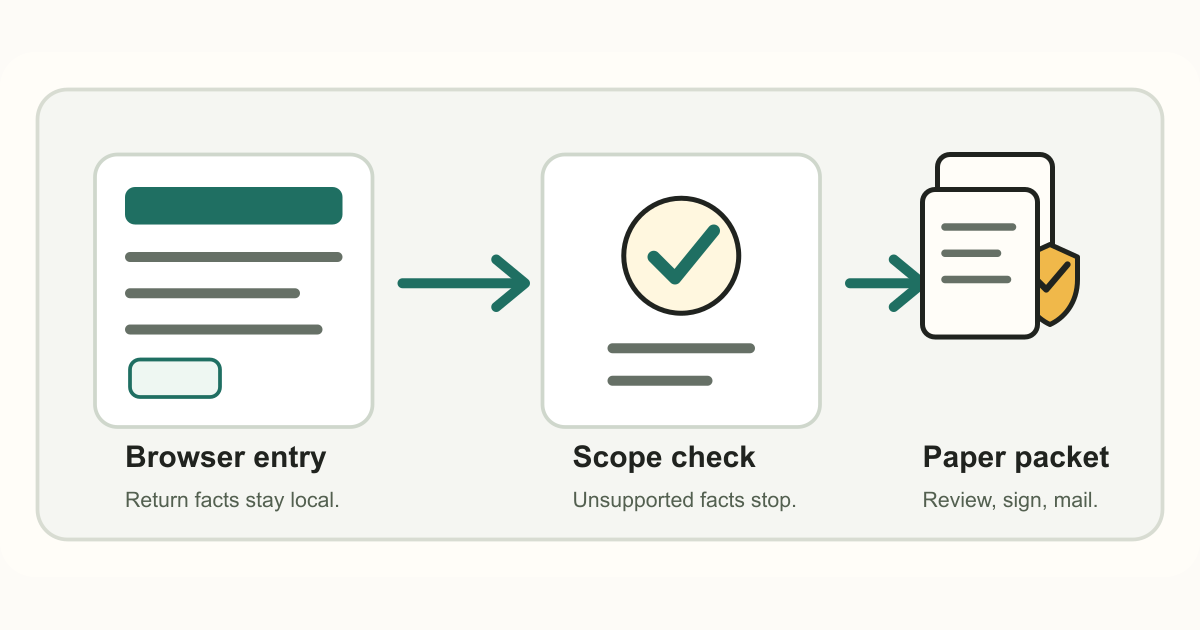
Tax Paperwork does not file Form 8822-B online, change an IRS business account, or update an IRS online account. The preview prepares a browser-local, watermarked draft for known business address, business location, or responsible-party facts, then the customer follows IRS-controlled where-to-file instructions.
Sources and limits
Use the linked IRS Form 8822-B, where-to-file, and responsible-party pages below as the official source for current update mechanics. This guide is for orientation and does not provide tax, legal, accounting, entity-control, authority-dispute, or filing-channel advice.
Direct answer for online filing
Form 8822-B is the IRS business change-of-address or responsible-party form. Tax Paperwork can help organize a draft, but it is not IRS.gov, not an IRS account portal, and not a filing, upload, mailing, status, or confirmation service.
If the business needs the IRS to recognize the change, use the current IRS Form 8822-B and where-to-file sources for the official submission mechanics.
What Form 8822-B covers
The IRS Form 8822-B page says businesses and other entities with an EIN application on file use the form for business mailing address, business location, and responsible-party changes.
The same IRS page notes that responsible-party changes must be reported to the IRS within 60 days. Responsible-party identity, nominee cleanup, ownership control, and authority facts are outside Tax Paperwork's control.
Where-to-file stays IRS-controlled
The IRS where-to-file page lists Form 8822-B mailing destinations by location. A locally prepared draft is not an IRS account update until the customer follows the current IRS-controlled channel.
Tax Paperwork does not choose a mailing address from private facts, mail the form, confirm delivery, issue a confirmation letter, or tell the business that the IRS processed the update.
Where Tax Paperwork fits
The preview organizes known Form 8822-B facts, flags authority-sensitive cases, and creates a watermarked local draft for review in the browser.
It does not resolve ownership or authority disputes, update state agencies, coordinate payroll providers or banks, submit the form, or confirm IRS processing.
Privacy boundary
Form 8822-B can involve an EIN, business address, business location, and responsible-party facts. Tax Paperwork keeps the public-preview draft work local to the browser and does not ask users to upload those facts to a Tax Paperwork account.
Use IRS.gov and the current IRS where-to-file page for official submission instructions; use the local draft only as a preparation aid for facts you already know.
When to stop
- Nominee cleanup, ownership transfers, mergers, dissolutions, or control disputes.
- Representative signing, foreign or territory routing, or uncertainty about who the responsible party is.
- Any attempt to use Form 8822-B for an individual home address change; use Form 8822 guidance instead.
Related Guides And Draft Previews
How this page was prepared
This page starts from the official sources linked below, keeps filing-channel decisions with IRS.gov or qualified professionals, and shows the same limits that appear in the public draft previews.
Tax Paperwork pages are maintained under the editorial policy and checked against the public-preview evidence described on the preview confidence page. Last page review: June 14, 2026.
Current Tax Paperwork boundary
Tax Paperwork is not tax, legal, accounting, entity-structuring, treaty, fiduciary, valuation, or filing-channel advice. It is not IRS.gov and does not submit, transmit, fax, mail, upload, pay, or monitor IRS paperwork.